

How to Determine Left and Right Channels on RCA Cables (Complete Audio Guide)
RCA cables may look simple, but incorrect connections can quietly ruin your audio experience. Whether you’re hooking up a TV, amplifier, DVD player, subwoofer, or car audio system, knowing how to determine left and right channels on RCA cables is critical for balanced, accurate sound.
Many people assume RCA cables are foolproof because of their color coding. While that’s mostly true, mistakes still happen—especially when cables fade, jacks are poorly labeled, or aftermarket equipment is involved.
This guide explains everything clearly, from RCA color codes to what happens if you mix channels, and how professionals identify left and right channels when markings are missing.
What Are RCA Cables and Why Channels Matter
RCA cables transmit analog audio and video signals between devices. In stereo audio, sound is split into left and right channels to create depth, direction, and realism.
If channels are reversed:
-
Music can sound “off”
-
Dialogue positioning feels wrong
-
Stereo effects lose accuracy
-
Gaming and movie audio immersion drops
Correct channel assignment ensures sound reaches the intended speaker.
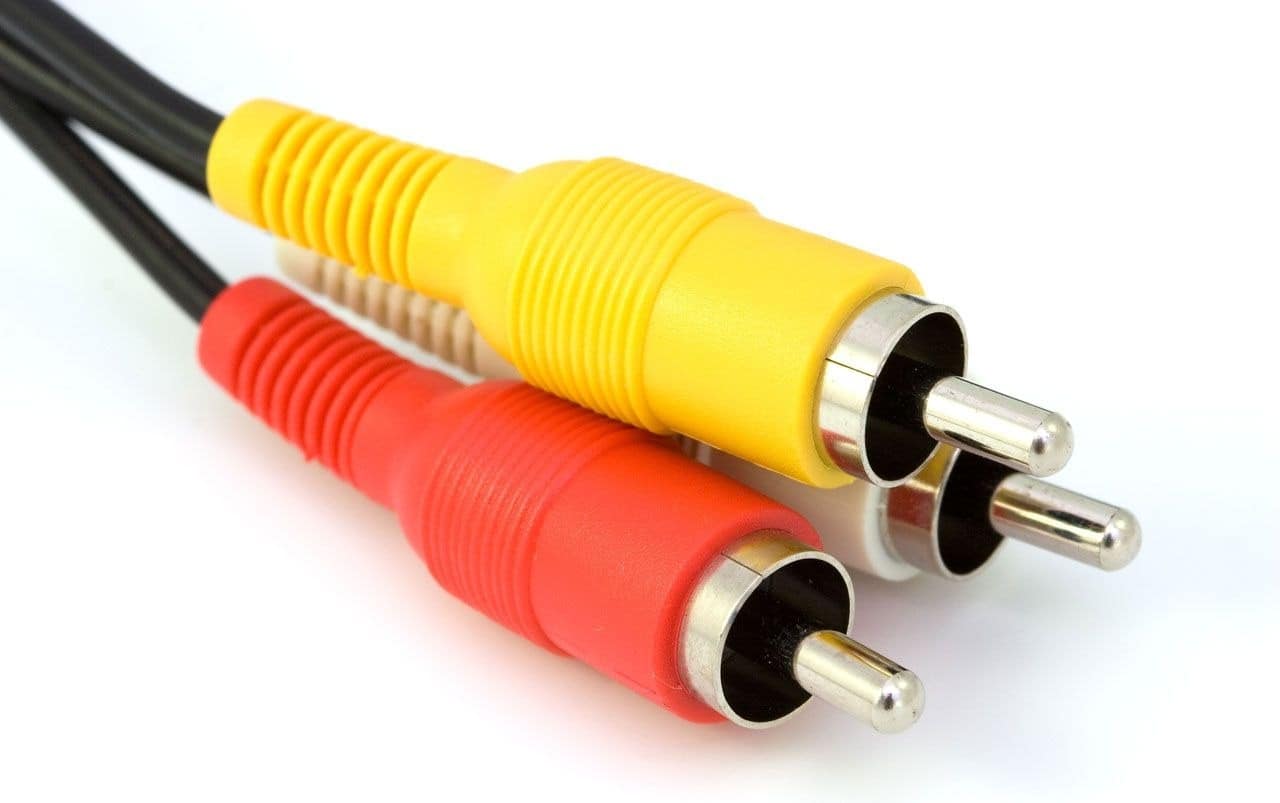
Standard RCA Color Code Explained
RCA Cable Color Chart
| Cable Color | Channel | Purpose |
|---|---|---|
| Red | Right audio | Stereo right channel |
| White or Black | Left audio | Stereo left channel |
| Yellow | Video | Composite video signal |
This color code is standard across:
-
TVs
-
Home theaters
-
DVD/Blu-ray players
-
Game consoles
-
Audio mixers
How to Identify Left and Right Channels on RCA Cables
1. Follow the Color Code (Primary Method)
-
Red = Right channel
-
White/Black = Left channel
This rule applies to both ends of the cable.
2. Match Cable Colors to Jack Colors
Most devices label their RCA jacks with:
-
Matching colors
-
Letters such as L / R
-
Icons or symbols
Typical Jack Markings
| Marking | Meaning |
|---|---|
| L | Left audio |
| R | Right audio |
| Audio In/Out | Stereo signal |
| AV Out | Audio + video |
Always match color-to-color when possible.
3. When Colors Are Faded or Missing
Older or aftermarket cables may lose color markings. Professionals use these methods:
-
Check raised text on connectors (R or L)
-
Inspect cable insulation stripes
-
Follow device jack labeling
-
Test using audio balance controls
Left and Right Channel Positioning
In standard setups:
-
Left channel goes to the left speaker
-
Right channel goes to the right speaker
This applies to:
-
Home audio systems
-
Car audio systems
-
Studio monitors
-
Powered speakers
Correct positioning ensures proper stereo imaging.

What Happens If You Swap Left and Right RCA Cables?
Will Sound Still Work?
Yes—but it won’t be accurate.
Effects of Swapped Channels
| Issue | Result |
|---|---|
| Soundstage | Reversed |
| Instrument placement | Incorrect |
| Movie effects | Disorienting |
| Music clarity | Reduced realism |
Most casual listeners won’t notice immediately, but trained ears will.
What Happens If You Plug Audio RCA into Video Jack?
This will not work.
-
Yellow jack = video only
-
Red/White = audio only
Mixing audio into video jacks results in:
-
No sound
-
No video
-
Possible signal distortion
Professional Tip: Identifying Channels Without Colors
Technicians often test channels using:
-
Audio balance adjustment
-
Mono sound testing
-
Speaker isolation
-
Signal tracing tools
For home users, simply adjust left/right balance in your system settings and listen carefully.
RCA vs Modern Audio Connections
| Connection Type | Signal | Status |
|---|---|---|
| RCA | Analog | Still widely used |
| HDMI | Digital | Modern standard |
| Optical (TOSLINK) | Digital | Noise-free |
| Coaxial Digital | Digital | High quality |
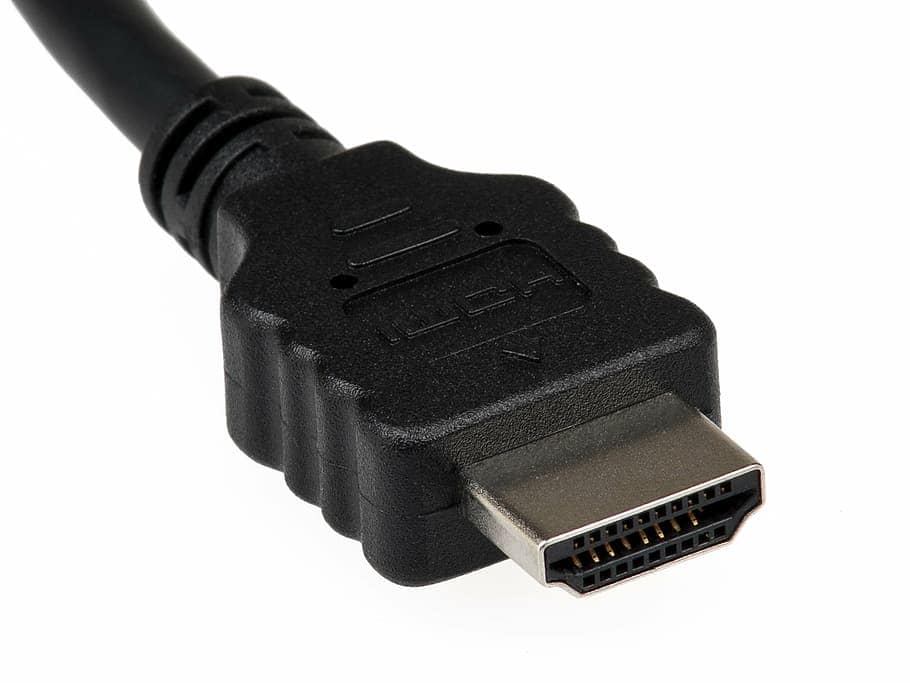
Despite newer technologies, RCA remains common due to:
-
Compatibility
-
Simplicity
-
Cost-effectiveness
Common RCA Connection Mistakes to Avoid
-
Mixing left/right channels
-
Ignoring faded color markings
-
Plugging audio into video jacks
-
Using damaged or loose cables
-
Running RCA cables near power wires (causes noise)
FAQ – RCA Left and Right Channels
Is red always right on RCA cables?
Yes. Red universally represents the right audio channel.
Can RCA cables be used backward?
Yes. RCA cables are bidirectional for analog signals.
Does reversing channels damage equipment?
No. It only affects audio direction, not hardware.
Why do some cables use black instead of white?
Black is an alternative color for the left channel.
Are RCA cables still good for car audio?
Yes. They are widely used for amplifiers and head units.
Conclusion
Understanding how to determine left and right channels on RCA cables is essential for proper sound balance and audio realism. While the color code makes things easy, knowing what to do when colors fade or labels disappear sets you apart from casual users.
Whether you’re setting up a home theater, car audio system, or media device, following the correct left-right pattern ensures clear, accurate, and immersive sound—the way it was meant to be heard.